


Article contents

Making Tax Digital (MTD) is now here for self-employed sole traders and landlords. If you earn money from a business in your own name, or property in your own name (not via a limited company) you’ll now need to report your accounts every 3 months with accounting software. Don’t worry, it’s easier than you think, here’s our guide to make it easy.


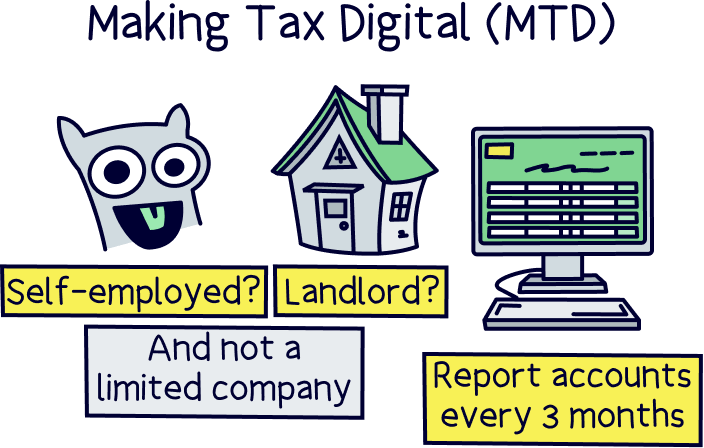
If you’re self-employed, or a landlord, make sure you read this. There’s new laws here for how you need to file your accounts, and any mistakes can mean costly fines.
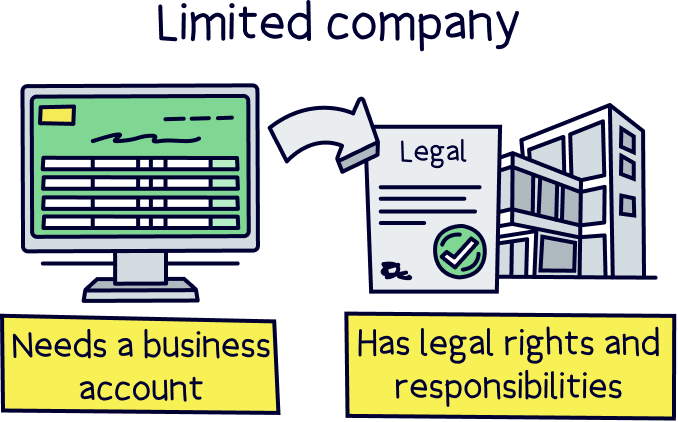
This just applies to those earning an income in their own name, and not through a limited company. So if you are running a business or property empire through a limited company only, you can ignore this and continue filing your annual accounts.
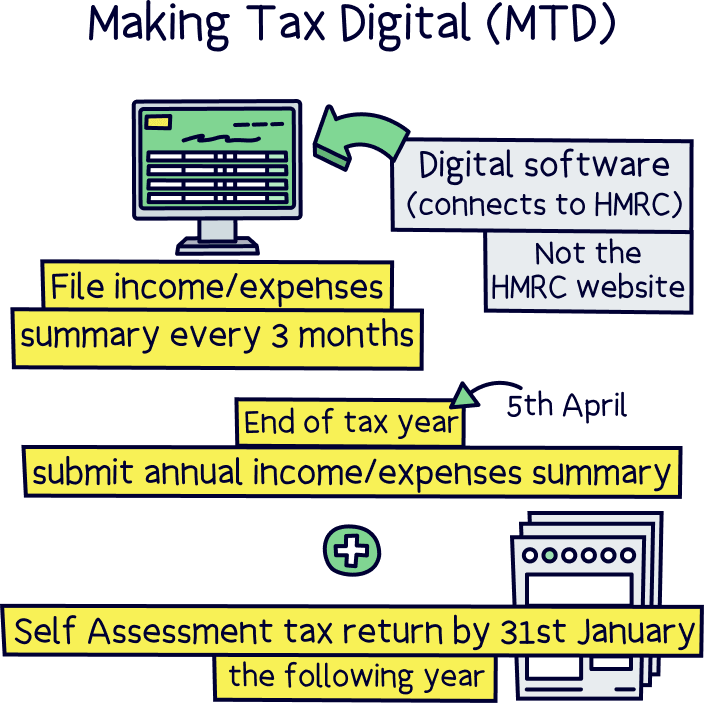
From April 2026, there’s a new scheme from HMRC called Making Tax Digital, or MTD. In short, you now need to file a summary of your income and expenses every 3 months instead of once per year through a Self Assessment tax return. And, it needs to be filed using digital software that connects to HMRC, rather than the HMRC website.
That means you’ll need to sign up for a new software tool to comply. You’ll use this to manage your finances and file your records (our top pick is below). These are called accounting software tools (but that doesn’t mean they’re super complicated).
However, the good news, it is rolled out in stages for certain types of self-employed people and landlords, based on how much you earn each year (more on that below).
Now with Making Tax Digital, you won’t report everything every 3 months (quarterly), like you do currently with your annual Self Assessment tax return, you’ll just report a summary of your income and expenses every 3 months.
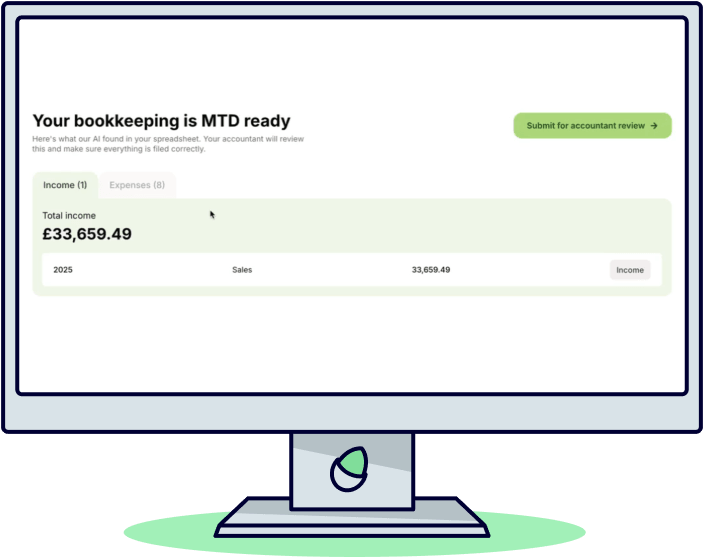
These numbers are pulled from your digital records of your income and expenses (via your new software tool). With the right tool, this can be as easy as clicking a button every 3 months, and maybe not even that, an accountant can do it for you behind the scenes.
At the end of the tax year (5th April), you’ll submit a summary of your income and expenses over the last 12 months (as it’s the end of the 4th quarter), and then still file your Self Assessment tax return by 31st January the following year (using the same or adjusted figures). And, you’ll now use your digital accounting tool to submit that too, instead of using the HMRC website or a paper form.
Check out Taxfix (formerly TaxScouts), our top choice. And get 1 month free.
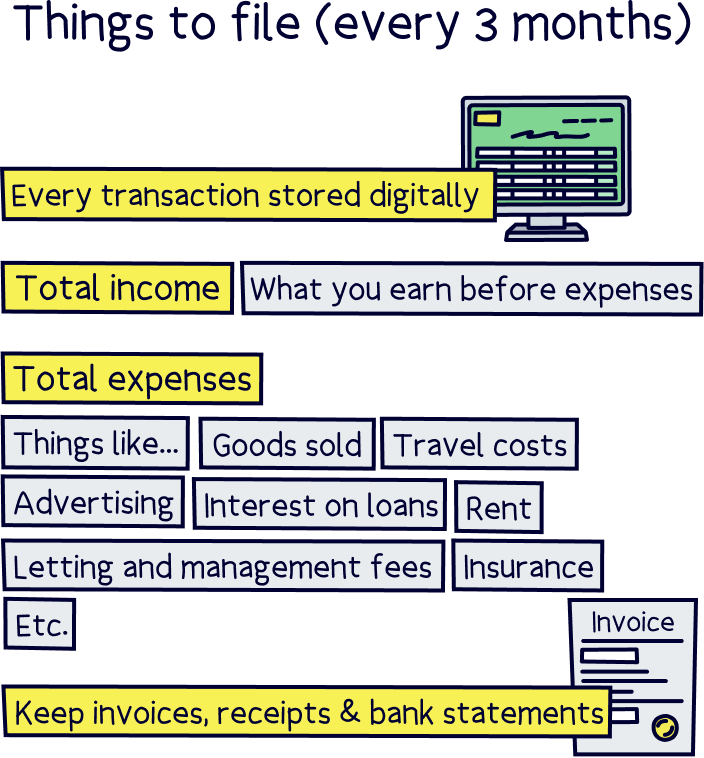
Each quarter, you will file your total income and total expenses for the period (see below). So that’s how much you make in revenue (also called turnover or sales), and then the totals for each category of expenses such as cost of goods sold, travel costs, advertising, interest on loans, rent, and staff costs (if you have any of those). You might be familiar if you complete your own Self Assessment tax return each year.
If you’re a landlord, you might have letting and management agent fees, insurance, legal fees, interest on the mortgage etc.
If you are both a landlord and self-employed, you’ll need to keep these businesses separate and file them separately, so 2 reports each quarter.
And it’s not enough to just calculate these every 3 months, every transaction you make has to be stored digitally within a software tool (e.g. every sale, every expense), which needs to include the date, the amount and the category.
You should also keep invoices, receipts and of course bank statements to match your transactions.
You don’t need to work out any tax payments. You also don’t pay any tax each quarter, it’s just the reporting. You’ll pay tax at the end of the year, still through your Self Assessment tax return (although you will likely pay tax twice per year as you typically pay some in advance for the next year, paid in July).
Don’t panic just yet, you’ll have a few months to file your first report (on 7th August 2026), but it’s a good idea to get set up with a digital service today so all of your income and expenses can be tracked properly, making things much easier in the future - you don’t want to be stressing on the 6th August trying to set things up and run through every transaction.
Every year, you’ll report to HMRC on 7th August, 7th November, 7th February and 7th May. And again, the first deadline will be 7th August 2026 for your finances from 6th April to 5th July.
So in future, you would use your Making Tax Digital annual report covering the tax year (6th April to 5th April) for your Self Assessment, which is due by the following 31 January.
Right, so MTD is being phased in, in stages, based on income. Here’s when you’ll need to start reporting:
Income is your income from your business that’s in your own name, and/or income from rent if you’re a landlord (but you still file separately if you have both). It doesn’t count any income from a limited company.
Note: you use your income from the previously filed tax year to work out when to start MTD. So for April 2026, you would look at your income from 6th April 2024 to 5th April 2025.
As a quick example, say you earned £60,000 per year in fees from being a consultant, or £80,000 in sales selling your own handmade toy sets, then you would now need to use MTD now. If you earned £25,000 per year, you would not need to start with Making Tax Digital until April 2027. Although you can voluntarily start now if you’d like to.
And that’s the same for landlords. If you have a portfolio earning over £50,000 in rental income, you’ll need to start now. If you just have one property earning £15,000 per year, you wouldn’t start until April 2028. In this case, you don’t count any salary you earn from an employment.
If you have a self-employed income of £40,000 and also a rental income of £15,000, you’ll need to start filing this year as your combined income is over £50,000.
How do you actually file then?
You’ll need to use digital filing software. This might seem daunting, but if you choose the right one it can be pretty simple to use. The accounting software will typically run within a website or app.
TaxFix¹ is probably going to be the most widely used, as they have great software, and also accountants to handle things, so let's use them as an example. Plus, you can get your first month free¹ to test things out first.
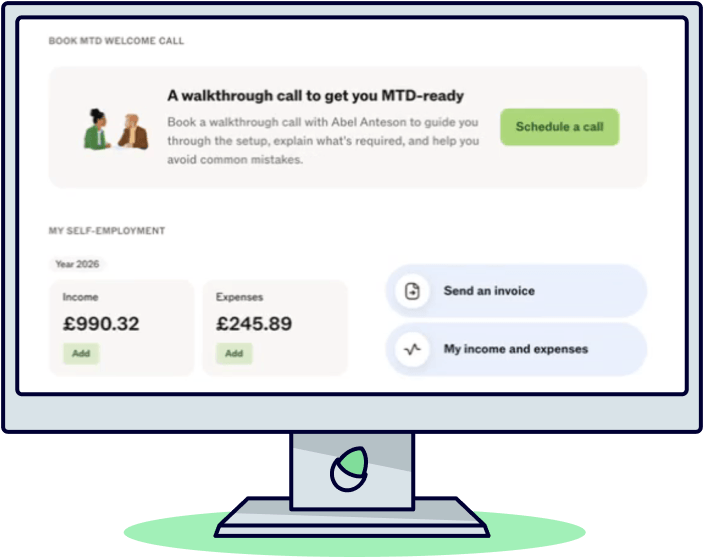
First, you'll sign up and set up an account for their MTD service, from there you’ll have a quick chat with one of their accountants who can run through registering with HMRC for their MTD service if you haven’t done that yet.
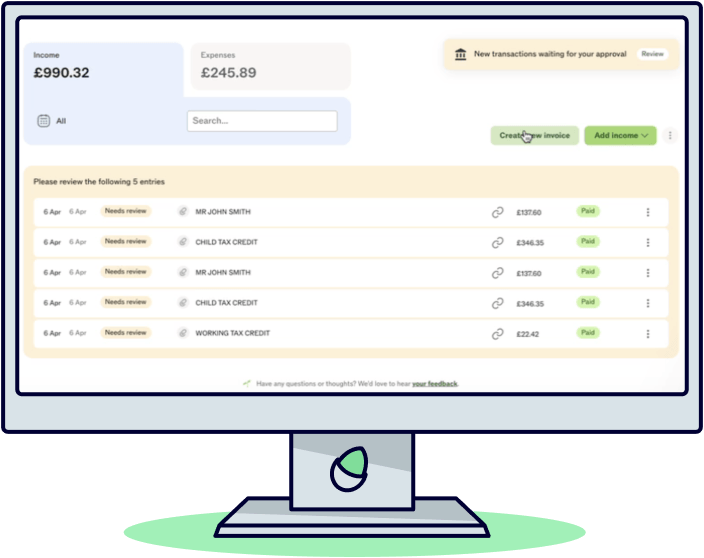
After that, you’ll have access to their easy to use accounting software, where you can connect your bank account to import transactions automatically. These transactions will be categorised automatically too, such as a sale, or which type of expense (e.g. rent or advertising), these can be manually changed if you want to.
You can also create invoices and scan receipts. It has everything you need to manage your accounts.
Once your transactions are accounted for, you’ll see your quarterly statements all ready for review. Your TaxFix¹ accountant will handle the submission with HMRC so there’s nothing to worry about there either. Sounds pretty easy right?
And, for the end of year reports, it’s all handled in the same way, and they’ll prepare your Self Assessment tax return too (if you want them too).

1 month free



TaxFix has a dedicated Making Tax Digital (MTD) tool designed specifically for sole traders and landlords. It pairs great accounting software with an accountant to check things over and submit reports.
The accounting software is great and easy to use - simply import your transactions from your bank account and these are categorised automatically where possible. It’s simple, and not complicated at all. This produces your quarterly and annual report, which you can review and adjust if needed.
Their accountants handle things behind the scenes and review and submit your reports, so there’s peace of mind it’s done correctly. There’s also accountants on hand to ask any questions and general customer support. Getting started is also easy to do (accountants handle that too).
There’s two options, MTD Assistance, which is the low cost option (£24.99 per month) and provides access to the accounting software to manage your transactions and an accountant to check things over and submit to HMRC.
The second option is MTD Full Support, and is £39.99 per month. This is where your TaxFix accountant would handle everything, which includes the bookkeeping side (which is checking your transactions are correct and in the right categories). You’ll review and sign off each quarter. You also get tax planning calls with the accountant and support if HMRC asks you for more information, and priority customer service.
Overall, it’s a great service, and well worth checking out.
Check out Taxfix (formerly TaxScouts), our top choice. And get 1 month free.
If you’re considering not doing anything, please don’t, there are hefty fines, which HMRC call penalties.
You’ll get a penalty for:
• a late quarterly submission
• a late submission for your end of year tax return
• a late payment of any tax due at the end of the tax year
Note: there’s no penalties applied for the first year, as it’s a new system, but they’ll kick in from 2027.
You also won’t be able to submit your end of year tax return if you haven’t done your quarterly updates, so you can’t just skip them.
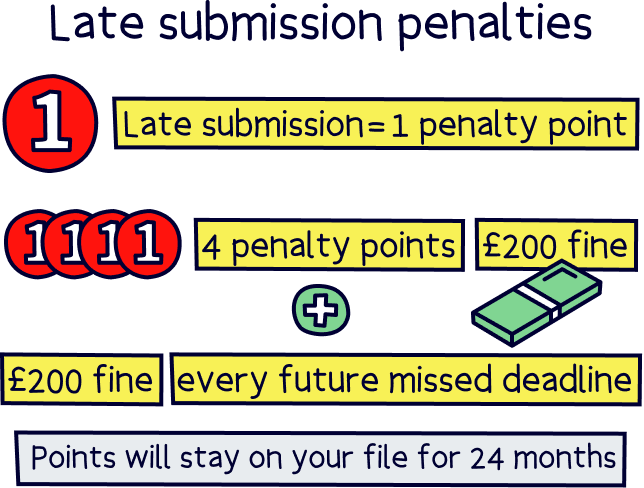
If you do file late, you’ll get a penalty point, which you’ll keep, even after you file. Once you get 4 penalty points you’ll get a £200 fine and another £200 fine every time you miss another deadline.
A penalty point will stay on your file for 24 months. If you do reach 4 penalty points, they won’t be removed until you send all your missing reports and annual tax return, and then continue to report for the next 12 months.
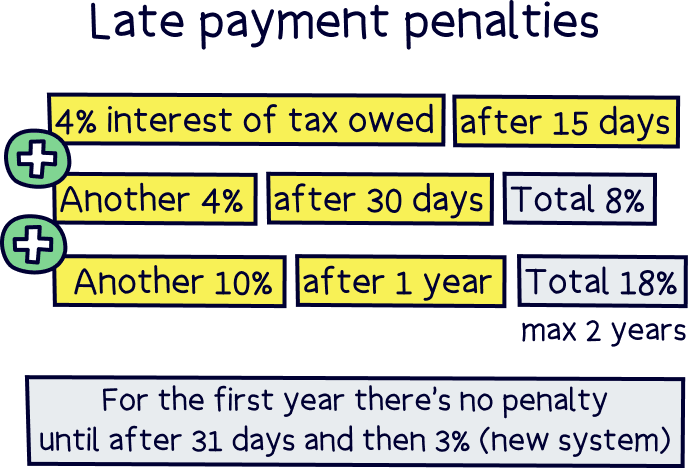
Late payment is different to late submissions, and it’s based on how much tax you owe, and how late you are to pay it, and you’ll be charged interest on what you owe.
The interest will be 4% of the tax owed after 15 days, and then another 4% of the tax owed after 30 days (making it 8%). There will then be another 10% annual interest rate on the balance owed if you still haven’t paid (maximum 2 years).
Note: as this is a new system, for your first year using the new system, the penalty rate is lowered to 3%, and you won’t get a penalty until after 31 days.
If you can’t pay on time, it’s best to get in touch with HMRC and sometimes they might allow payment plans.
Check out Taxfix (formerly TaxScouts), our top choice. And get 1 month free.
It’s a big change isn’t it? Reporting is changing from one per year as part of your Self Assessment tax return to every 3 months alongside your annual Self Assessment tax return. And you’ll need to use a software tool too, so it’s an extra cost.
The good news is that it helps you keep on top of your finances, and forces you to use accounting software for your transactions, which makes things a whole lot easier. Trust us, if you haven’t used it yet, you’re in for a treat.
You’ll also have a clearer picture of how much tax you’ll likely pay. You might be on top of it, but there’s lots of people out there who get very large unexpected tax bills when they (finally) get round to doing their books every January.
In terms of HMRC, there should be less errors made (which is a lot of tax going missing), there’s also a bit of fraud, and things like lost paperwork and manual spreadsheet errors that cause issues. So bringing everyone together on effectively the same system can help both HMRC and you work out the correct amount of tax to pay.
There’s also now more data so HMRC can plan and forecast better - and potentially collect tax differently in future.
Remember, for now, you’re just reporting your numbers every 3 months, you won’t actually pay any tax until you file your Self Assessment tax return, which is still due by the deadline of 31st January following the tax year. And if you need to update your figures at the end of the year for your tax return, that’s fine.
To actually file your reports and tax return, you’ll need to sign up for a digital accounting service that offers MTD submissions. We’ve researched the market and think TaxFix¹ is a great option. The software itself is easy to use, it’s all on their website or phone app, and best of all, accountants check things over and file the report for you, so there’s peace of mind too. And accountants are on hand to provide support if you have any questions or issues.
If you like the sound of that, try TaxFix free for a month¹ to see how you get on.
And finally, good luck with MTD - you’ll be fine, and will be laughing about what you were worrying about in a few months time!
Check out Taxfix (formerly TaxScouts), our top choice. And get 1 month free.
We’d love to hear from you, and it will help others too.
Edward Savage is a leading expert on money, with a background of 8 years working in financial services in London, has a business, accounting and finance degree, runs an investing community, and teaches people about money. He writes about all aspects of personal finance, including pensions, investing, mortgages and insurance.

This article was written, reviewed and fact checked by the expert team at Nuts About Money. You’re in safe hands. Learn more.
We're experts in all things banking, cards, and spending and receiving money, for both individuals and businesses – with many years of combined experience writing about it. Some of our team were top financial advisors. We know how to save a small fortune in fees, and how to find the right card and account for you.

More than 20 years of combined experience researching and writing about banking
Qualified team (APFS - Advanced Diploma in Financial Planning)
A wide range of financial companies researched and reviewed, and a transparent review process
We follow a strict editorial code to ensure you get the best information possible
Check out Taxfix (formerly TaxScouts), our top choice. And get 1 month free.