

Review contents

Wallester Business is a great tool (and free) to manage all of your business spending. It’s not a bank account, it’s a tool to manage expenses by pairing a great software tool with debit card creation (create as many as you like), bringing all your expenses into one system, giving you full control and insight into all your business spending.

Get a free account, the full range range of features and 300 free virtual cards.
Wallester Business is a business account with a bit of a difference. It’s an account to manage your business spending, which could be one or multiple, physical or virtual cards (such as for a team of employees). And, there’s great software (mobile app and website tool) to go with it, giving you full control over everything (imagine the power).
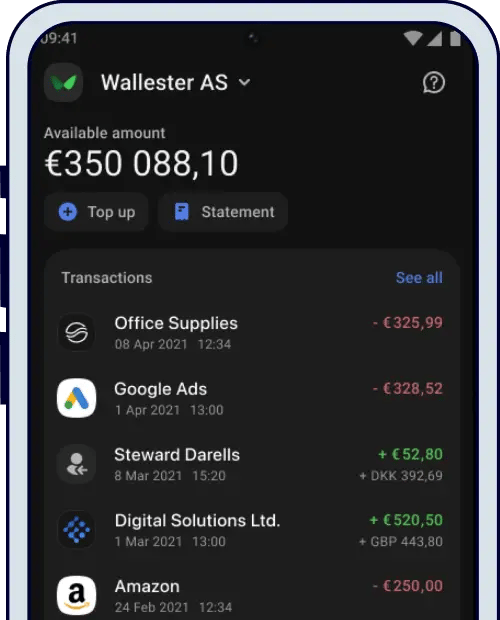
In short, it’s to manage all the spend for your business, suited to all different types and sizes of businesses.
What’s very appealing is that it's completely free to set up an account, and all the core features are free too. There’s no long term commitment either. There are some fees, which depend on how you use your cards (more on fees below).
There’s a huge range of card and payments features, such as spending with multiple currencies, and being able to exchange currencies directly in your Wallester Business account (with no fees either). There’s mobile payments, real-time expense controls, set payment schedules and rules and batch payments, accounting software integrations and reports on pretty much anything you can imagine.
There’s an unlimited number of actual cards you can have (virtual and physical cards), and when setting up your account (free) you’ll get 300 free virtual cards and an unlimited number of physical cards for free too.
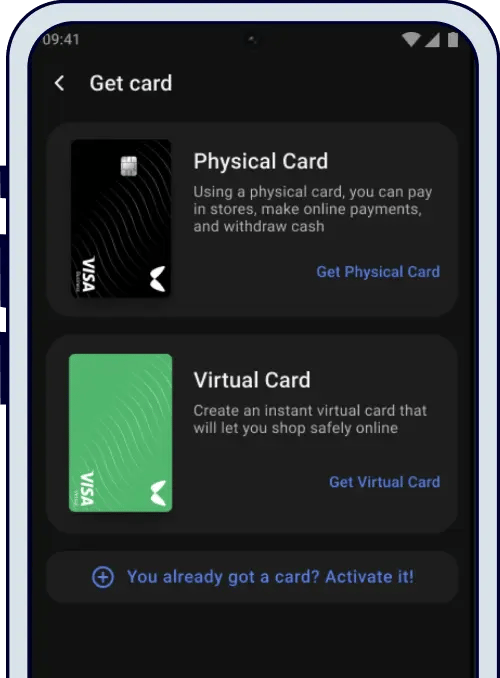
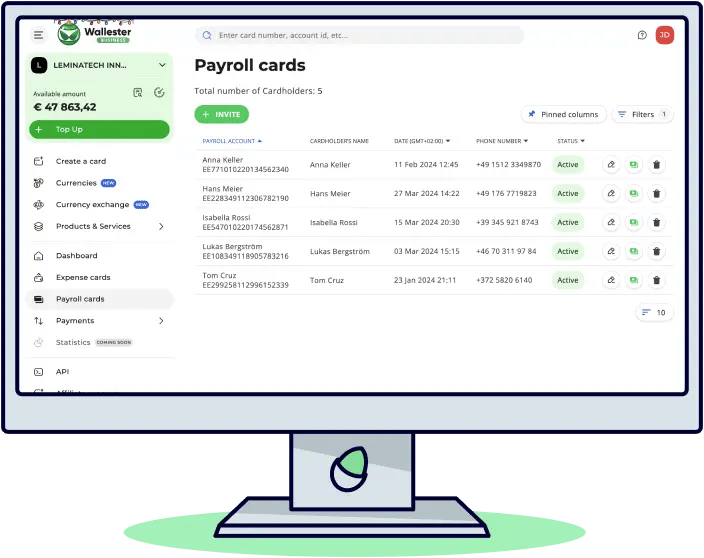
There’s different types of cards (covered below), and you can even set up a payroll card for your team, such as freelancers or employees, where they can receive payments (such as their wages or fee), or use to pay expenses.
And, setting up cards for different expenses can significantly reduce fraud, for instance, setting up a virtual card for an online advertising platform (e.g. Google), or certain suppliers. The list of uses is pretty much never-ending.
You may not have heard of Wallester, but they are a huge company, with hundreds of employees, who operate across Europe and the UK. Wallester was founded 8 years ago, and Wallester Business was launched in 2022, and have so far issued over 6 million cards, processing over £1.5 billion in payments. Wallester is also a Visa partner, and all of their cards are Visa.
Anyway, that’s a quick overview of Wallester Business. If you’ve heard enough already, learn more on the Wallester Business page¹. Otherwise, let’s run through the details.
Wallester handles everything there is to do with your cards and spending. So, you might have a debit card with your business bank account, but imagine you have a team of employees, you wouldn’t want to give them all a debit card to your bank account would you? It could be chaos within a few hours with your bank statement clogged up with spend you’re not sure about, getting payment approval requests via the banking app and SMS. The list goes on. Expense management is not really what business bank accounts are intended for.
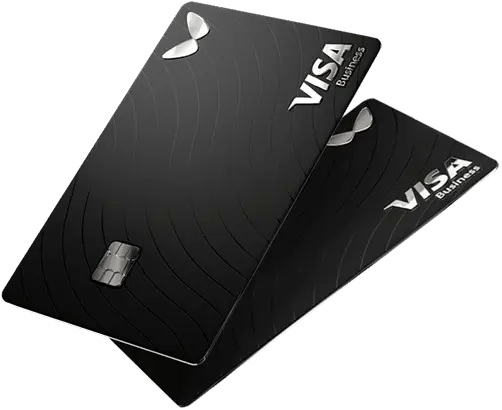
That’s where Wallester Business comes in. It’s built for expense management, and on top of that, it’s a card provider, working with Visa, to provide you with 100s or 1,000s of physical or virtual cards (it’s actually unlimited). The software (mobile app and website) links everything up to your cards, all in real-time, and gives you complete control over your entire business spending. We think it’s pretty essential for any size business.
Even if you’re just working by yourself and growing your business, you can still use Wallester as a great way to manage your business spending instead of using your business bank account, which likely has limited features. With Wallester Business you can control all the expenses and cards in a dedicated software tool, helping you to keep on top of spending, and take advantage of features such as paying each supplier with a different card.
By the way, it’s free to sign up, and there’s no long term commitments. There can be fees, depending on how you use it.
Wallester sets up your cards for you, and you can use these pretty much anywhere, such as online shops, physical stores, and anywhere Visa is accepted. It’s accepted in pretty much every country around the world.
Note: Visa is a huge global network that handles card payments, allowing shops and various other businesses to accept payments, and for you to pay easily with your card. The other big payments network is Mastercard.
Once you’ve set up your account, you can then issue and assign Wallester cards for your organisation. When you first get started you’ll get 300 virtual cards for free, and an unlimited number of physical cards, and if you need more virtual cards you can add more on too (there’s no limit to how many cards you can have in total).
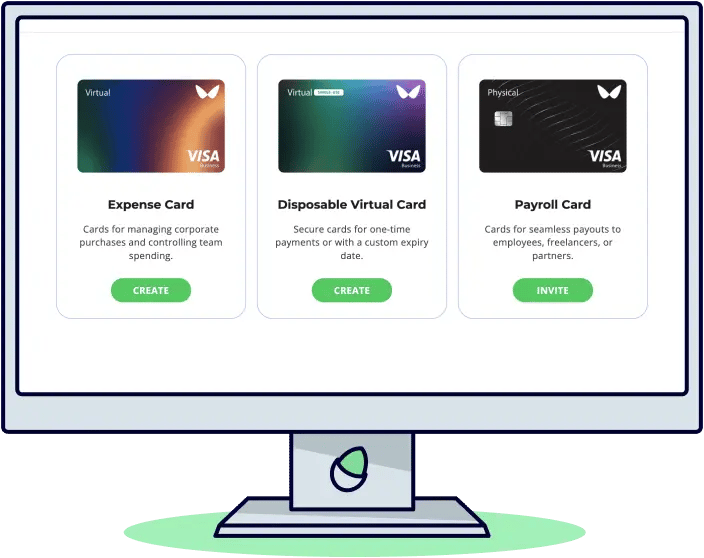
There’s 4 different types of cards you can create and use. An expense card, disposable virtual card, payroll card (all 3 available on the free plan), and a business platinum card (which has a fee).
These are cards for managing business purchases and controlling the team’s spending.
These are for one-time payments, where you can set a custom expiration date.
These can be physical or virtual cards, and is a card given to a team member, freelancer, or partner, where you can add money they are owed, or for them to spend, such as paying their fees or wages. They can also download the Wallester app to manage their card.
This is a premium version of the expense card, and comes with a tonne of perks, suited to small business owners and frequent travellers. For instance, you get perks such as airport lounge access (with LoungeKey), discounts on shopping and dining, special offers and access to discounts on the Visa network from Visa partners. Plus, you get a dedicated account manager. You need to apply separately for these cards but are available to most customers.
Note: you’ll also get an upgrade to the platinum plan for your Wallester Business account.
You can, of course, spend away in Pounds (GBP) on your card, but you can also spend in any currency as part of the Visa network, with the currency converted as you spend, and based on the current exchange rate at the time (set by Visa).
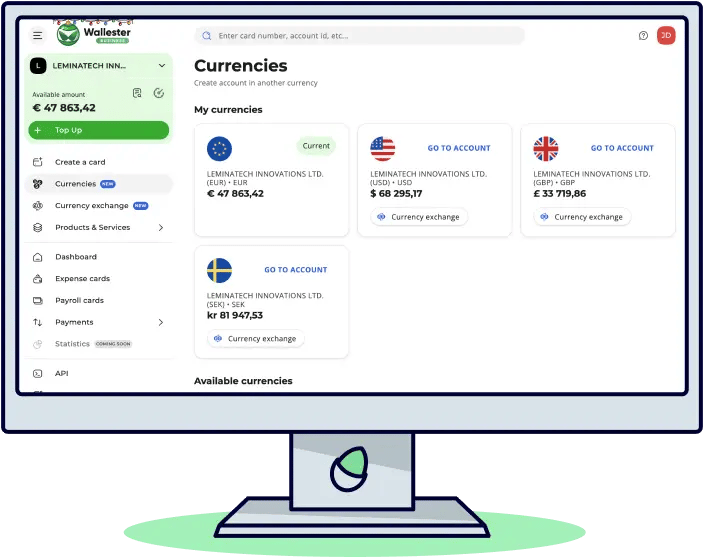
For instance, if you are paying an invoice in Euros but your account is in Pounds, this will be automatically converted when you pay.
However, a great perk with Wallester Business is that you could simply create a Euros account in a few seconds (within your existing Wallester Business account), and pay with a Euros based card. Exchanging currencies within your Wallester Business account is completely free (e.g. from Pounds to Euros), so you would avoid any potential foreign exchange fees that might apply when spending on a card in a different currency.
These are the currencies you can create accounts and cards in and store within your Wallester Business account:
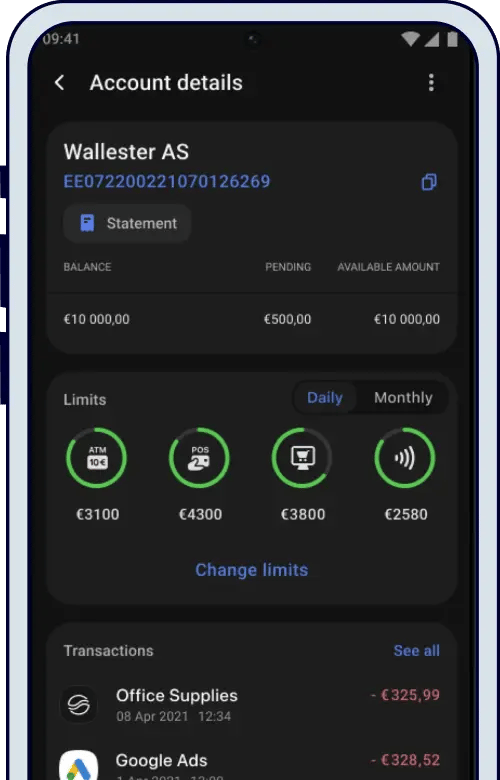
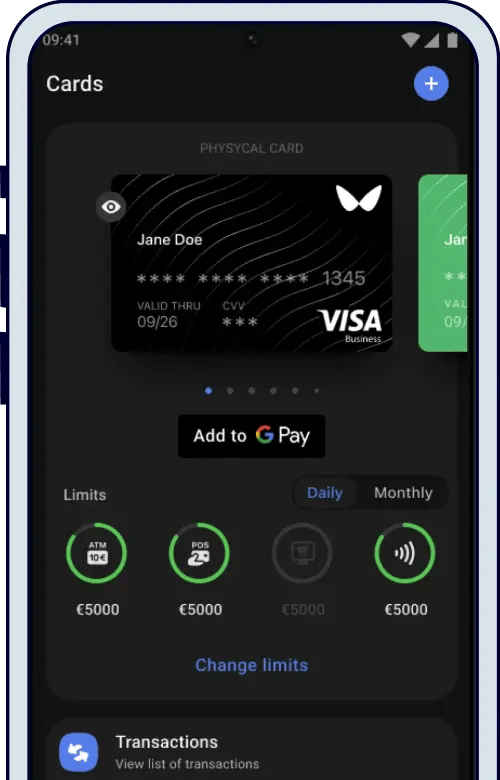
This sounds complicated and super technical, but it simply means you can turn your card into a smart card where you can add it to things like Apple Pay, Google Pay, Samsung Pay, Garmin Pay, Fitbit Pay, Fidesmo, the list goes on.
And you can add it to smart devices, such as your Apple Watch and loads more! It’s pretty cool, helps you spend, and you’ll never forget your card, and it actually reduces the risk of fraud.
You can create a list of approved merchants (e.g. websites) where you no longer have to approve the spend each time via the 3DS system (e.g. manually approving spend on the app). They are pretty annoying aren’t they?
You can request your own Bank Identification Number, which is the first 6-8 digits of a card number. You can also request to share with 5 other companies (to reduce the cost) or have a range of BIN numbers too.
You might want this for various reasons depending on your business, for instance, even though you can set your own spending rules (e.g. no gambling), with a unique BIN you could block certain types of transactions based on the BIN number of the card itself.
If you are looking for even more advanced features or integrating into your own systems, you can also plug into the Wallester Business API (Rest API), where you can use the full range of features, such as card creation, so you can build your own tools and integrate into your own systems.
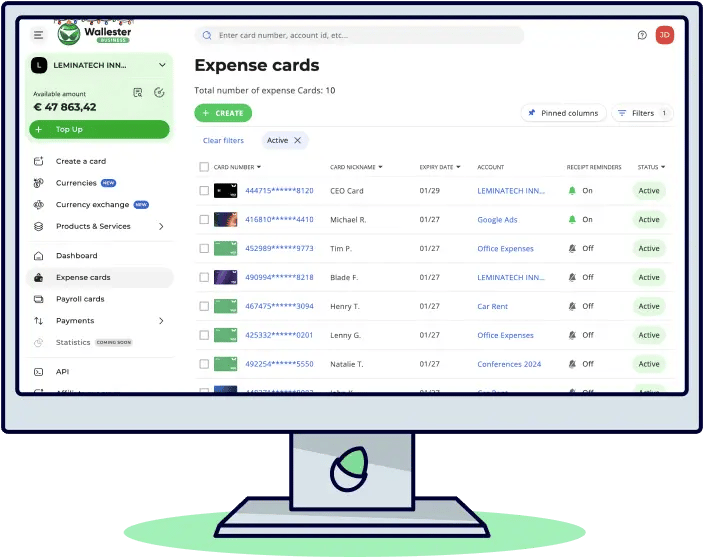
In our opinion, the expense management tool (software) is what makes Wallester Business really great. You’ll be able to manage everything you need within a user-friendly interface, both on their website and a mobile app.
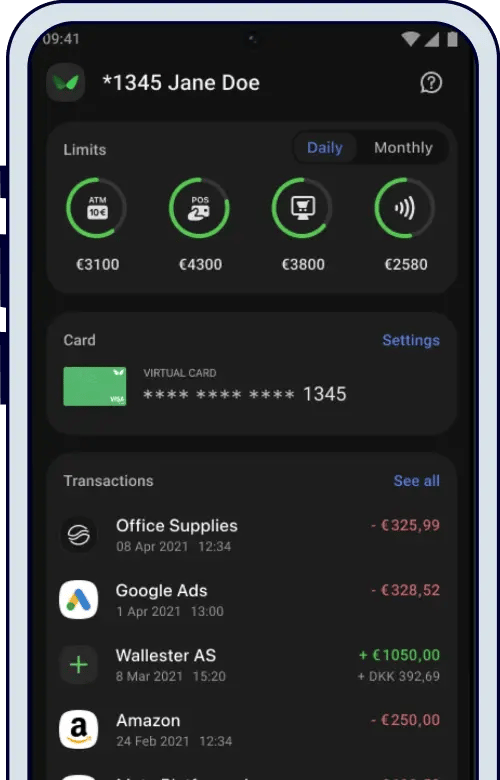
For instance, you can create new cards in seconds, for various uses, such as single use or a custom expiry, or long term expense cards.
You can create separate accounts for different expenses, and to keep things organised, such as Google advertising spending, or maybe car payments or office expenses. Within these accounts you’ll get real-time transactions coming through so you can monitor all of your spending from a single view.
You could set up budgets for different departments, teams and projects, or limits for individuals. And set controls on things like daily spend limits, ATM limits, contactless limits, online shopping limits, you get the idea. You can also have multiple users accessing the dashboard to manage things more effectively (more below).
You can also make payments to expense cards (such as freelancers) and set up bulk payments or recurring multiple payments.

Users of the cards can also download a mobile app to upload their receipts, and you’ll be able to track which transactions still need receipts uploading. You can also upload invoices to keep all your documentation and management in one place.
You’ll be able to set up different roles for different users across your business, for instance, the CFO might have their own account and access level, which is different to an accounting manager, accountant or developer. There’s also administrator roles for those setting up and managing the system.
As all your spending is in one place, you’re able to benefit from in-depth analytics and financial reports, created easily and quickly with Wallester Business. For instance, you could view the spending on certain department cards, spending across time, spending on certain things, you name it, you can view it. You can also compare the spending against budgets to see if anything needs a bit more refinement.
You’ll also be able to set up automated reports too.
If you run your business accounts through accounting software (highly recommended), such as Xero or QuickBooks (your accountant almost definitely will if you have one), with Wallester Business, you can import all of your transactions into your accounting software if you want to, all automatically. So you can have a clear view of all your expenses alongside all of your other business finances, such as sales.
Setting up a Wallester Business account is completely free, and so is getting your card to use. Think of it as a free service where you only pay for the features and services you use, and only if you enable the paid for features, so there’s no surprises.
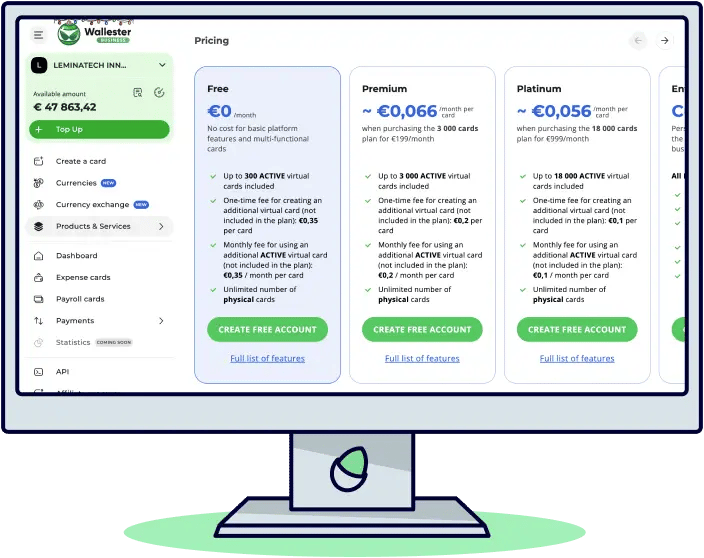
The more you want to use, the more you could benefit from upgrading to a monthly paid plan and get better value with access to higher limits (such as more cards).
Cost: free
Wallester Payroll accounts are now free. No maintenance or setup fees and no hidden charges.
This is the core plan which has a huge range of features, likely suitable for most small-to-medium businesses. Here’s the top features:
Cost: £169.95 per month (0.057p per card)
This plan has all the features included in the free plan, and suited towards growing businesses where you may have a larger team and need more cards.
Cost: £859.95 per month (0.048p per card)
This plan is for medium-to-large businesses who require lots of cards.
For large businesses who want more customised features, more assistance to integrate their own software into the Wallester API (software).
The customer support is great. There’s an online help centre with pretty much every question you might have covered. There’s also an email address to message in with any specific questions, and you can call them on the phone too. And depending on which plan you have, you’ll get a dedicated account manager to help you too.
Yes, it’s safe to use Wallester Business. It’s an authorised and regulated financial services company, which means it has been reviewed and approved to look after your payments.
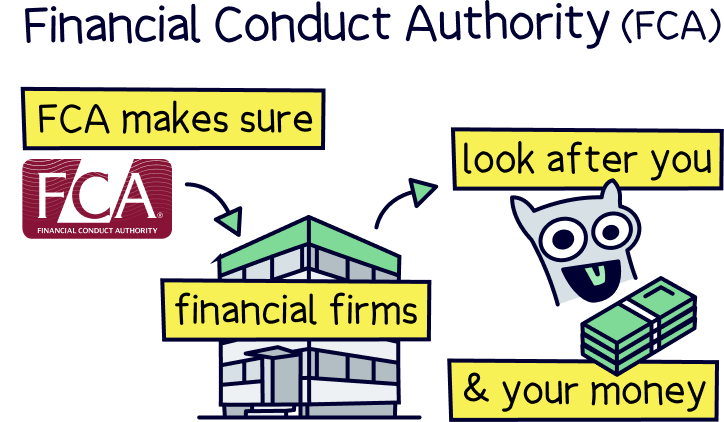
Wallester takes security very seriously and has passed several certifications. As it partners with Visa to provide cards, it has also passed requirements and audits by Visa too.
When you top up your account with Wallester Business, your money is held with large banks and financial institutions, not with Wallester itself. This is part of legal safeguarding measures, and means even if Wallester were to go out of business, your money would still exist and be returned to you.
Here’s a quick recap and the pros and cons of Wallester:
We think Wallester Business is a great option to manage all of your business spending and expenses. You’ll be able to create as many cards as you like (virtual or physical) to suit your business, such as for various advertising spending channels (e.g. Google, Facebook), flights, in-person spending, or whatever else your business might have. You can set up accounts for teams or departments, or even certain projects to help manage and control things too.

You can manage everything within the Wallester Business website or app, setting spending controls, creating cards, viewing your spending and even track your receipts and invoices. Essentially, if your business is spending money (who isn’t?), you’ll likely benefit from better management and control with a tool like Wallester.
It’s free to set up your account and create cards (up to the limit), and you’ll simply pay fees depending on how you use the cards, which is a great way to scale as you grow, keeping the costs down for smaller businesses.
The customer support is great, with real people you can speak to for any issues, and a dedicated account manager on the paid plans.
Overall, we’re giving it 5 stars for expense and card management, it’s great. To learn more or get started, visit the Wallester Business page¹.
Get a free account, the full range range of features and 300 free virtual cards.
Get a free account, the full range range of features and 300 free virtual cards.
Get a free account, the full range range of features and 300 free virtual cards.
We’d love to hear from you, and it will help others too.
Christopher Dowling combines a communications degree with over 10 years experience in the financial services industry in London – with focus on educating people on a wide range of money topics in an easy to understand way. He writes about savings, investing, pensions, mortgages, insurance, banking, loans, business finance and other money topics.

This article was written, reviewed and fact checked by the expert team at Nuts About Money. You’re in safe hands. Learn more.
We're experts in all things money, with years of combined experience working in the finance industry and writing about money. We understand the ins and outs, how to get the best deals, save money, and how to communicate money in an easy to understand way (we hope you agree).

More than 20 years of combined experience researching and writing about money
Researched and reviewed a wide range of financial services companies, and have a transparent review process
We follow a strict editorial code to ensure you get the best information possible
Get a free account, the full range range of features and 300 free virtual cards.